Bead Pattern Generator · Free Forever
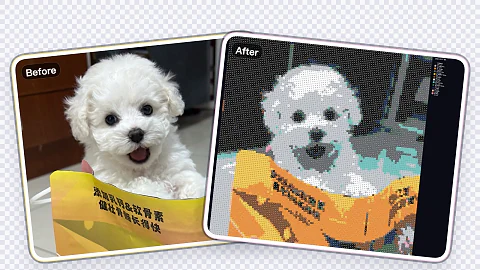
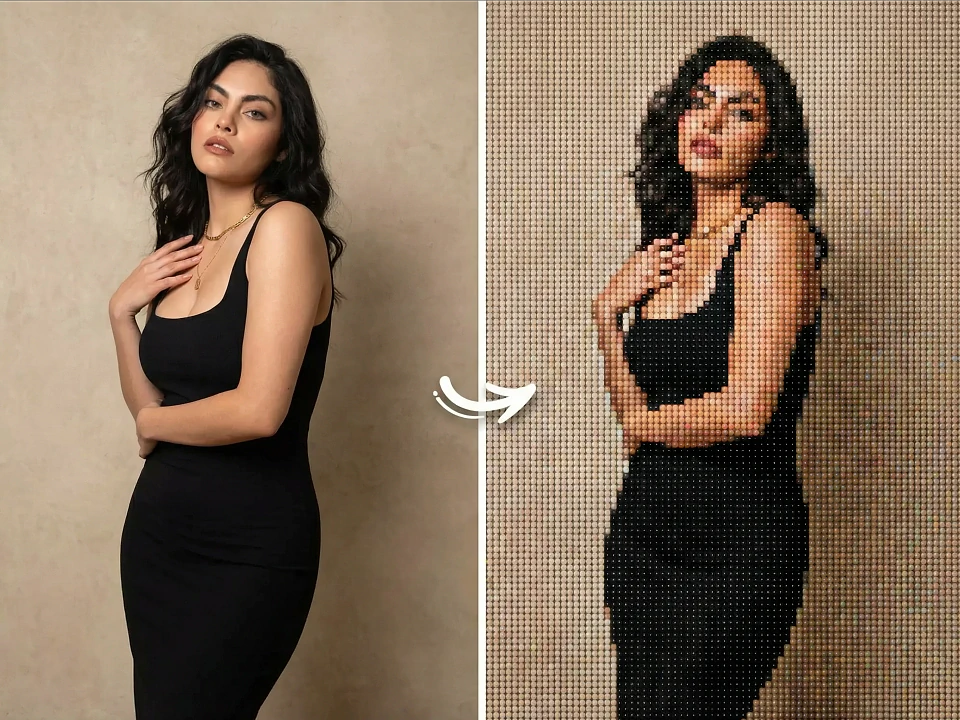
Upload a pet portrait, cosplay shot, or pixel art reference and instantly generate a printable grid complete with bead color codes and material stats.
Free forever
Generate, edit, and download charts at no cost.
Fully local processing
Everything runs in your browser for safer handling.
Flexible grid sizing
Go from 10×10 practice plates up to 100×100 mosaics with instant previews.
Real-time bead counts
See exactly how many beads of each color you’ll need before ironing.
Bead Pattern Generator · Free Forever
Upload a pet portrait, cosplay shot, or pixel art reference and instantly generate a printable grid complete with bead color codes and material stats.
Upload image or CSV
Supports JPG, PNG, WEBP, and CSV exported by the donor project.
This changes chart labels, materials, and export annotations without remapping colors.
Pattern preview
MARDUpload an image or import CSV to generate a chart using the donor workflow.
Manual editing
How it works
How it works
Upload a photo
Pets, portraits, cosplay shots, or pixel art all work. Keep it under 100MB.
Adjust the pattern
Pick a palette, grid size, color limit, and fine-tune with brush tools.
Download & build
Export the chart with bead counts, print it, and follow along on your pegboards.
Why makers love it
Plan colors, counts, and grid layouts before you melt a single bead.
Palette matching
Map every pixel to official Perler/Hama/Artkal codes for easy shopping.
Manual corrections
Clean up faces, logos, or gradients with brush/fill tools.
Printable exports
Download high-res PNGs with grids, codes, and a materials checklist.
Where it shines
Pet portraits
Turn furry friends into framed bead mosaics.
Fan merch
Recreate pixel characters, badges, or logos for booths and swaps.
Classes & gifts
Print step-by-step charts for workshops or handmade presents.
FAQ
More Free Tools
Browser-native helpers with zero installs.